WP Media Folder Pro (v6.2.7) + Cloud addon v4.2.0 + Gallery addon v2.6.16
6.90 $
WP Media Folder Pro package details for WordPress media organization, cloud addon context, galleries, and file management checks.
In stock
“By purchasing a membership (only for $9.90), you can download up to 450 products per month for free, instead of paying each one separately.”Users searching for WP Media Folder Pro nulled are usually trying to organize a crowded WordPress media library with folders, galleries, and cloud-related workflows. GPLHub lists WP Media Folder Pro with cloud and gallery addon package context.
Media workflow
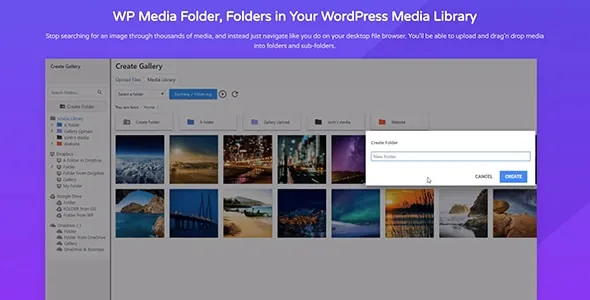
The plugin can help structure uploads into folders, manage galleries, organize assets by client or project, and connect media workflows to cloud storage depending on configuration. It is useful after years of unmanaged uploads.
Before reorganizing
Back up the site before moving large numbers of files. Test page builder images, WooCommerce galleries, featured images, downloadable files, and old posts after reorganizing media.
Use folder names that match how the team works. A neat structure saves time only when future editors can guess where new files belong.
If cloud addons are connected, review who has access to remote files. Media organization should not accidentally expose private folders or client assets.
For WP Media Folder Pro, focus the staging pass on settings, user roles, frontend output, compatibility, caching, mobile behavior, and rollback options; those are the places where a WordPress install usually reveals conflicts first. Test the workflow on staging and keep the change reversible until it proves stable on the live stack.