WhatsApp Click to Chat Plugin for WordPress v2.2.12
4.87 $
WhatsApp Click to Chat package details for WordPress chat buttons, customer messaging, support routing, and privacy QA.
In stock
“By purchasing a membership (only for $9.90), you can download up to 450 products per month for free, instead of paying each one separately.”Visitors searching for WhatsApp Click to Chat nulled are usually comparing a WordPress WhatsApp chat plugin for contact buttons, support prompts, presales messages, and mobile-friendly customer communication. GPLHub keeps this page focused on GPL package context, practical WordPress use cases, source reference, and checks that matter before installation.
Product overview
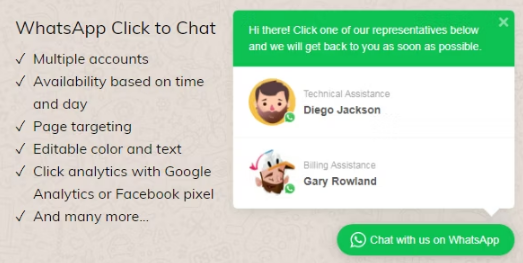
WhatsApp Click to Chat helps visitors start a WhatsApp conversation from a WordPress site. It can support customer support, presales questions, appointment requests, local business enquiries, and product advice.
What to check before use
Test phone numbers, business hours, agent routing, mobile behavior, button placement, privacy wording, page speed, and whether chat prompts match real support availability.
Package notes
Review GPLHub’s package files and source reference before setup. Use real contact details and avoid promising instant replies if the team cannot maintain them.
Good chat UX gives customers a clear reason to message, sets response expectations, and does not block important product or checkout controls.
For WhatsApp Click to Chat, review GPLHub’s actual package against the site you plan to build: included files, bundled extras, activation wording, dependencies, compatibility notes, and source reference should all be checked before launch.